

If you use OpenClaw, you have probably seen an install command that starts with a skill name from ClawHub. And you may have wondered what exactly ClawHub is, whether the skills on it are safe to run, and how the whole registry actually works.
ClawHub is the public community marketplace where OpenClaw skills are published and shared. It is what makes OpenClaw extensible: a skill adds a capability, like reading email, browsing the web, or querying a database, and ClawHub is where the community publishes those skills for anyone to install.
That openness is ClawHub’s strength and its biggest risk. This guide explains what ClawHub is, how to install skills from it, how the skill.md format works, and, most importantly, how to tell a safe skill from a dangerous one before you run it.
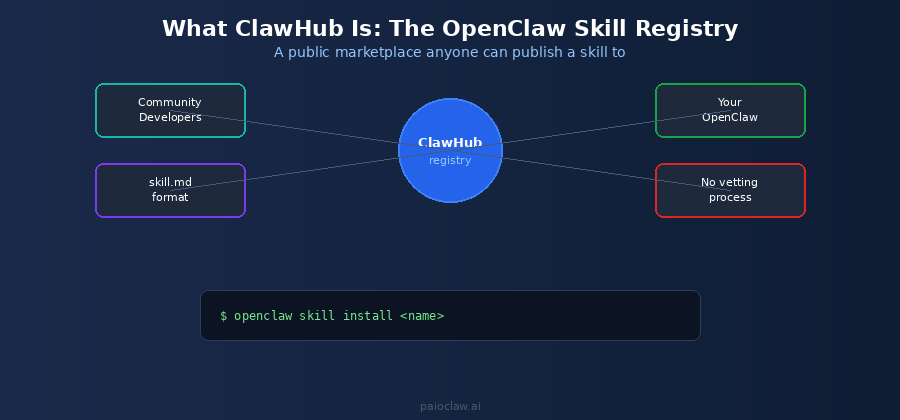
What ClawHub Is (and Is Not)
ClawHub is a registry: a searchable, public catalog of OpenClaw skills that anyone can publish to and anyone can install from. Think of it the way developers think of a package registry like npm or PyPI. It is the distribution layer for extending what your OpenClaw agent can do.
A few things ClawHub is not, which are worth being clear about. It is not made or operated by any managed hosting provider. It is not curated or security-reviewed by default, which is the single most important fact about it. And it is not the only way to get skills, since managed platforms ship their own pre-vetted skill libraries instead of pulling from the open registry.
How a Skill Is Defined: the skill.md Format
Every ClawHub skill is described by a skill.md file. This is the manifest that tells OpenClaw what the skill does, what it needs access to, and how it behaves. When you install a skill, the skill.md is what defines its capabilities and permissions.
This matters for safety because the skill.md is exactly what you should read before installing anything. It reveals what the skill touches: your files, the network, your credentials, or a shell. A skill that claims to format text but requests network and credential access is a red flag you can only catch by reading the manifest.
How to Install a ClawHub Skill
Installing is a single command. The general pattern is:
# Install a skill from ClawHub by name

openclaw skill install <skill-name>

# List the skills you already have installed

openclaw skill list

# Before installing anything: inspect the skill.md first

# Read what it accesses (files, network, credentials, shell)
The command itself is trivial. The discipline of reading the skill.md before you run it is what separates a safe install from a risky one.
The Security Problem You Need to Understand
Because ClawHub has no mandatory vetting process, anyone can publish a skill, and installing one runs that person’s code inside your agent’s environment. This is a classic software supply-chain risk, and for OpenClaw it is not theoretical.
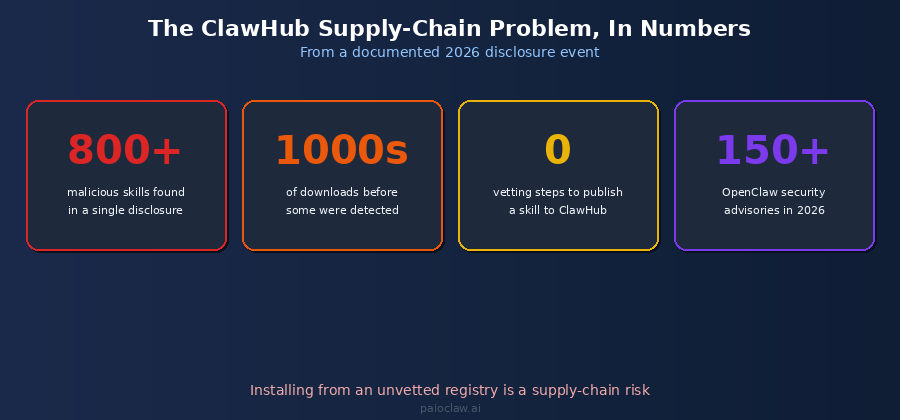
In a single documented 2026 disclosure event, more than 800 malicious skills were found on the public registry. Some had already been downloaded thousands of times before anyone caught them. This sits inside a broader picture: the OpenClaw ecosystem accumulated over 150 documented security advisories in 2026, spanning remote takeover, approval bypasses, and credential leakage.
None of this means ClawHub is useless or that every skill is dangerous. It means the responsibility for vetting sits entirely with you when you install from the raw registry. A malicious skill can read files, exfiltrate credentials, or run commands, all under the permissions your agent already has.
⚠️ A skill runs with your agent’s access
When you install a ClawHub skill, it runs inside your OpenClaw environment with whatever access your agent has: your connected accounts, your files, your API keys. There is no sandbox by default separating a community skill from your real credentials.
That is why reading the skill.md and trusting the source matters so much. You are not just adding a feature, you are running someone else’s code against your data.
How to Vet a ClawHub Skill Before Installing
If you are going to install from the open registry, do it deliberately. These five checks catch the majority of malicious or careless skills before they reach your environment.
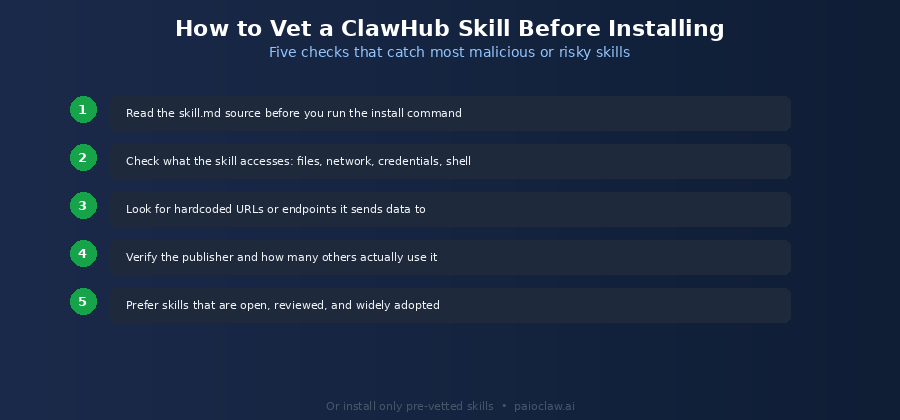
1. Read the skill.md Source First
Before you run any install command, open the skill.md and actually read it. It is the manifest of everything the skill does. If you cannot find or read it, do not install the skill.
2. Check What the Skill Accesses
Look specifically at what resources the skill requests: file system, network, credentials, shell or command execution. Then ask whether those match what the skill claims to do. A calendar-reading skill has no legitimate reason to request shell access.
3. Look for Hardcoded Endpoints
Scan for hardcoded URLs or network endpoints the skill sends data to. A skill that quietly posts your data to an unfamiliar server is the classic exfiltration pattern. Legitimate skills are transparent about where data goes and why.
4. Verify the Publisher and Adoption
Check who published the skill and how many others use it. A skill from an established, identifiable maintainer with wide adoption is far lower risk than an anonymous upload with a handful of downloads. Popularity is not proof of safety, but obscurity plus broad permissions is a warning.
5. Prefer Open, Reviewed, Widely-Used Skills
When two skills do the same thing, prefer the one that is open source, has been reviewed by others, and is widely adopted. The community’s collective scrutiny is a meaningful signal that raw download count alone is not.
The Alternative: Pre-Vetted Skills
Vetting every skill yourself is real work, and it assumes you can read code well enough to spot a subtle exfiltration path. Most people cannot reliably do this for every skill they want, which is exactly why managed platforms exist.
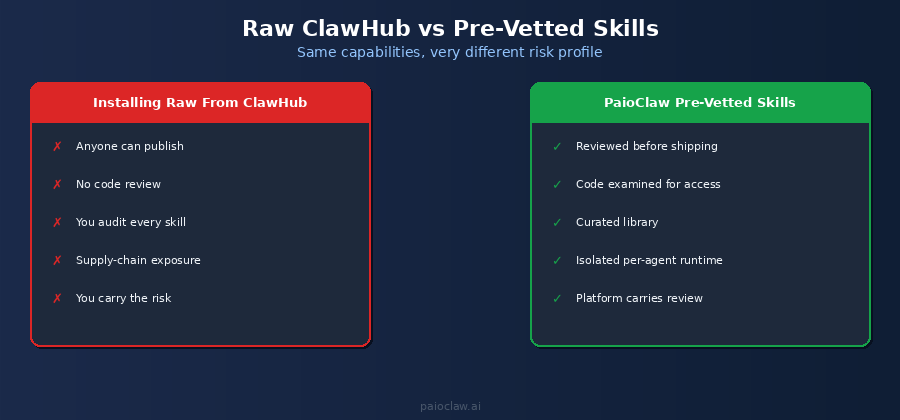
PaioClaw takes a different approach to the skill supply chain. Rather than have every user pull directly from the unmoderated ClawHub registry, it ships agents with a curated library of skills that are reviewed before they are made available. The code is examined for what it accesses and where it sends data. Each agent also runs in its own isolated environment, so a skill’s blast radius is contained rather than sitting next to all your other credentials.
You still get the capabilities that make OpenClaw useful. What you drop is the obligation to personally audit unvetted community code every time you want a new feature.
? Get the skills without the supply-chain risk
PaioClaw ships pre-vetted skills reviewed before they reach your agent, and runs each agent in an isolated environment so skill access is contained.
You get one-click capabilities without personally auditing raw ClawHub uploads. Start free at paioclaw.ai and connect skills from the curated library.
Frequently Asked Questions
ClawHub is the public community marketplace and registry for OpenClaw skills. Anyone can publish a skill to it, and anyone can install skills from it using the openclaw skill install command. It is the distribution layer that makes OpenClaw extensible, similar to how a package registry works for a programming language.
It can be, but there is no mandatory vetting, so safety is your responsibility when installing from the raw registry. A documented 2026 disclosure found more than 800 malicious skills on the public registry, some downloaded thousands of times before detection. Always read the skill.md, check what the skill accesses, verify the publisher, and prefer widely-used open skills. Alternatively, use a managed platform that ships pre-vetted skills.
Use openclaw skill install followed by the skill name, and openclaw skill list to see what you already have. Before running the install command, open and read the skill’s skill.md manifest to confirm what resources it accesses, since installing runs the skill’s code inside your agent’s environment.
skill.md is the manifest file that defines an OpenClaw skill: what it does, what access it requires (files, network, credentials, shell), and how it behaves. It is both how OpenClaw understands a skill and how you, as the installer, can inspect what a skill will actually do before you run it.
ClawHub is the community skill registry for the OpenClaw agent framework. OpenClaw is the agent, and ClawHub is where community-published skills that extend the agent are hosted. ClawHub is not operated by any particular hosting provider, and managed platforms like PaioClaw ship their own reviewed skill libraries rather than pulling from it directly.
The safest path is to use only skills that have been reviewed for what they access and where they send data. If you self-host and install from ClawHub, vet each skill manually using the five checks in this guide. If you would rather not audit code, use a managed platform such as PaioClaw that ships pre-vetted skills and runs each agent in an isolated environment so a single skill cannot reach everything.