

Running one OpenClaw agent is straightforward. Running five, each with its own tasks, channels, cron jobs, and failure modes, is a different problem. Once you have more than a couple of agents, you need a way to see all of them at once: which are running, which have errored, what each is doing, and what they are costing you. That single pane of glass is what people mean by mission control.
OpenClaw mission control is a dashboard that sits above your individual agents and gives you an orchestration view of the whole fleet. There is no single official product called Mission Control. Instead there is a category: community dashboards, open-source projects, and managed platforms that all solve the same job of watching and steering multiple agents from one place.
This guide explains what a mission control dashboard actually does, walks through the ways to get one, and helps you decide which approach fits how many agents you run and how much setup you want to own.
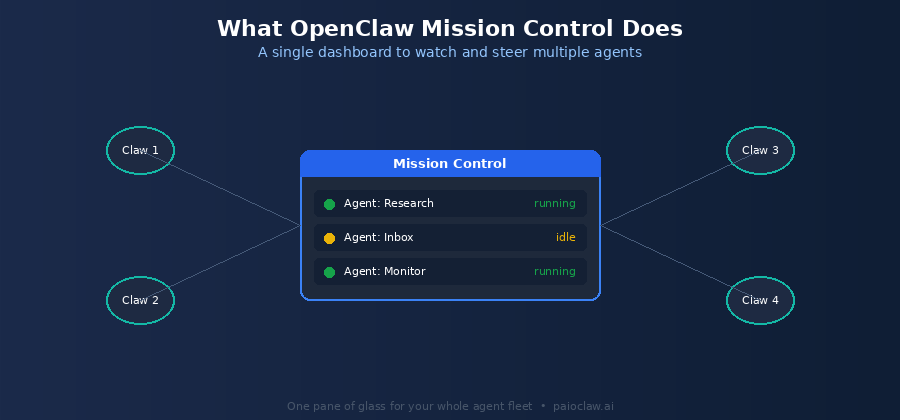
Why You Need Mission Control Once You Scale Past One Agent
A single agent is easy to reason about. You know what it is doing because it is the only thing running. The moment you add a second and third agent, that clarity disappears. Each agent has its own status, its own logs, its own scheduled jobs, and its own way of failing. Checking on them one by one, through separate terminals or dashboards, does not scale.
Mission control solves three problems that appear specifically at fleet scale. Visibility, because you can see every agent’s status in one view instead of polling each one. Control, because you can start, stop, and steer agents without switching contexts. And early warning, because a crash or a runaway cost on one agent surfaces immediately rather than being discovered days later.
What a Mission Control Dashboard Manages
Whatever form it takes, a good OpenClaw control dashboard gives you the same core set of views. These are the things you genuinely need to see when you are responsible for multiple agents.
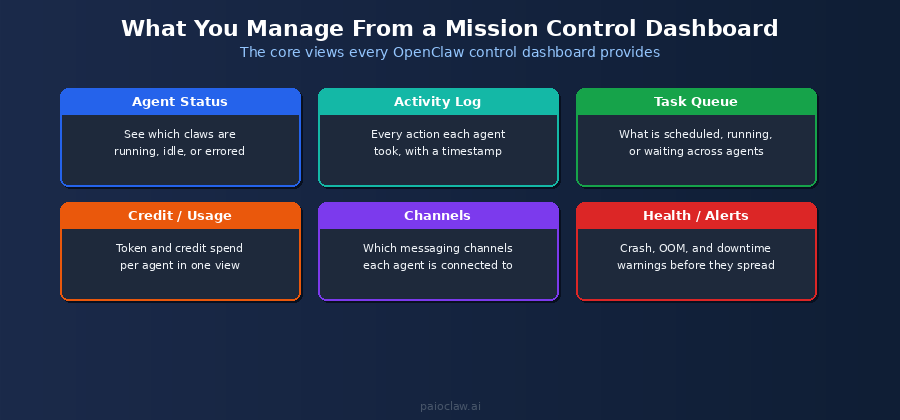
- Live state: Agent status: which claws are running, idle, or in an error state, at a glance
- Activity log: what each agent actually did, with timestamps, for debugging and audit
- Task queue: what is scheduled, running, or waiting across all agents at once
- Usage and cost: token and credit spend per agent, so one runaway agent does not surprise you
- Channels: which messaging channels each agent is connected to and their health
- Health and alerts: crash, out-of-memory, and downtime warnings before they cascade
The Ways to Get OpenClaw Mission Control
There are four broad approaches, and they trade off control against setup effort. The right one depends on how many agents you run and how much infrastructure you want to own.
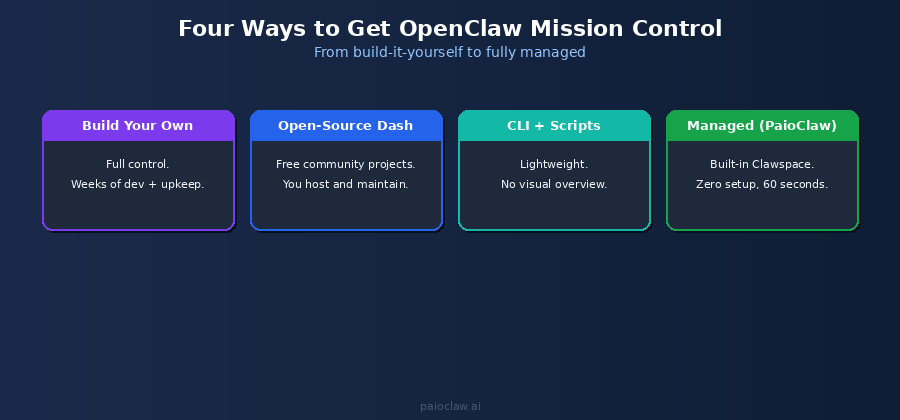
Option 1: Build Your Own
You can build a custom dashboard against OpenClaw’s gateway and status commands. This gives you total control over exactly what you see and how it works. The cost is real developer time to build it, and ongoing time to maintain it as OpenClaw changes. This makes sense only if you have very specific requirements and the engineering capacity to support them.
Option 2: Open-Source Community Dashboards
Several community projects offer ready-made mission control dashboards for OpenClaw, often published on GitHub. These are usually free and can be a good starting point. The trade-off is that you host and maintain them yourself, keep them updated, and take on the same infrastructure and error-handling burden that comes with any self-hosted component. Quality and upkeep vary by project.
Option 3: CLI and Scripts
For a small number of agents, some people simply script around the OpenClaw CLI, using gateway status checks and log commands stitched together. This is lightweight and requires no extra hosting, but it gives you no visual overview and does not scale well past a handful of agents. It is a stopgap more than a real mission control layer.
Option 4: A Managed Platform
Managed OpenClaw platforms include a mission control dashboard as a built-in part of the product. There is nothing to build or host: you get the fleet view, activity logs, health status, and usage tracking out of the box, and the platform keeps it running. This is the lowest-effort path and the one that scales without adding operational work as you add agents.
Comparing the Approaches
| Approach | Setup Effort | You Maintain It | Visual Overview | Scales to Many Agents |
| Build your own | Very high | Yes | Custom | Yes, if you build for it |
| Open-source dashboard | Medium | Yes | Yes | Varies by project |
| CLI and scripts | Low | Yes | No | Not really |
| Managed (PaioClaw) | None | No | Yes, built in | Yes |
Mission Control, Built In: PaioClaw Clawspace
PaioClaw’s dashboard, the Clawspace, is a managed mission control layer. It is the same fleet overview people build by hand or stitch together from community projects, except it ships as part of the platform and PaioClaw keeps it running.
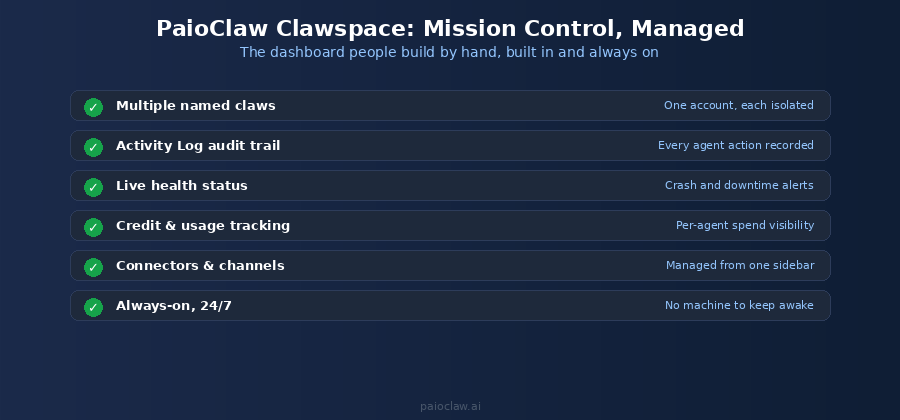
From one Clawspace you run multiple named agents under a single account, each isolated from the others. You get an Activity Log that records what every agent did, live health status that surfaces crashes and downtime, and per-agent credit and usage tracking so costs never surprise you. Connectors and channels are managed from one sidebar rather than configured per agent in separate places.
The difference that matters most for mission control specifically: because PaioClaw runs your agents always-on in the cloud, the dashboard reflects live state 24/7. A self-hosted dashboard can only show you what is happening while your own machine is awake and the agents are running on it. A managed one is watching the fleet even when you are asleep.
? Get a mission control dashboard without building one
PaioClaw’s Clawspace gives you multi-agent status, activity logs, health alerts, and usage tracking built in, with nothing to host or maintain.
Spin up your first agent in under 60 seconds and manage your whole fleet from one dashboard. Start free at paioclaw.ai.
Frequently Asked Questions
It is a dashboard that gives you a single overview of multiple OpenClaw agents: their status, activity, scheduled tasks, health, and usage. There is no one official product by that name. It is a category that includes community open-source dashboards, custom builds, and managed platforms that all provide the same fleet-level orchestration view.
Not really. A single agent is easy to monitor directly. Mission control becomes valuable once you run several agents, because tracking each one separately through its own logs and status commands stops being practical. If you plan to scale to multiple agents, it is worth choosing an approach that will handle that growth.
Yes. There are open-source community dashboards, often on GitHub, that are free to use. The cost is not money but maintenance: you host them, keep them updated, and take on the infrastructure and error handling yourself. Managed platforms like PaioClaw include a dashboard with a free tier and remove that maintenance burden.
Yes. OpenClaw exposes gateway and status commands you can build a custom dashboard against, giving you full control over what it shows. Be realistic about the cost: it takes meaningful developer time to build and ongoing time to maintain as OpenClaw evolves. It is worth it only if you have specific needs a ready-made option cannot meet.
The Clawspace is PaioClaw’s built-in dashboard. It shows all your agents and their live status, an Activity Log of what each agent did, health and downtime alerts, per-agent credit and usage tracking, and your connected skills and channels, all from one place. Because agents run always-on in the cloud, the view stays live around the clock.
A self-hosted dashboard only reflects state while your own machine and agents are running, and you are responsible for hosting, updating, and fixing it. A managed dashboard runs continuously in the cloud, shows live fleet status 24/7, and is maintained by the platform. For mission control specifically, always-on visibility is the main practical advantage, since agents often do their work while you are away.